Top 5 Online Threats You Don't See Coming
The most dangerous attacks are the ones you never notice. Here's what's lurking online and how DNS filtering stops them.
You probably think you're careful online. You don't click suspicious links. You have antivirus software. You use strong passwords. But the threats we'll discuss today don't need you to make obvious mistakes. They work silently, invisibly, and they're more common than you think.
Malvertising: Infected Ads on Legitimate Sites
You don't have to visit shady websites to get malware. Malvertising - malicious advertising - can appear on major news sites, popular blogs, and mainstream platforms. Attackers buy legitimate ad space and serve infected content to millions of visitors.
In 2024, researchers found malvertising campaigns running on sites with billions of monthly visitors. The ads looked completely normal - promoting software, games, or services. But clicking them (or sometimes just viewing them) could install malware on your device.
How DNS filtering helps: ClearDNS blocks connections to known malvertising networks and malware distribution domains. Even if a malicious ad gets served on a legitimate site, your device can't connect to the attacker's server.
Typosquatting: One Wrong Letter, Big Problems
Type "gogle.com" instead of "google.com" and you might end up on a malicious site designed to steal your credentials or install malware. Attackers register thousands of domains that are slight misspellings of popular sites.
These fake sites often look identical to the real ones. You might enter your login credentials without realizing you're not on the actual site. Some typosquatting domains have been active for years, collecting credentials from millions of mistyped URLs.
How DNS filtering helps: ClearDNS maintains lists of known typosquatting domains and blocks them automatically. Even if you mistype a URL, you won't reach the malicious site.
Phishing 2.0: AI-Generated Deception
Phishing emails used to be easy to spot - broken English, obvious scams, Nigerian princes. Not anymore. Modern phishing uses AI to generate convincing emails that mimic the exact writing style of your boss, your bank, or your favorite service.
These emails link to clone websites that are pixel-perfect copies of real login pages. They use HTTPS and have professional-looking URLs. When you enter your password, it goes straight to the attacker.
How DNS filtering helps: ClearDNS blocks known phishing domains within minutes of their discovery. Our constantly updated threat intelligence means new phishing sites get blocked before most victims can reach them.
Drive-By Downloads: Infection Without Clicking
Some malware doesn't wait for you to click anything. Drive-by downloads exploit vulnerabilities in your browser or plugins to install malware just by visiting a compromised webpage. You might not see any download prompt or notice anything unusual.
These attacks often target outdated browser versions or plugins like Flash (which thankfully is now dead). But new vulnerabilities are discovered regularly, and attackers are quick to exploit them before patches are widely installed.
How DNS filtering helps: ClearDNS blocks connections to domains known for hosting exploit kits and drive-by download attacks. Even if you land on a compromised page, the malware delivery domain is blocked.
Command & Control: Your Device, Their Puppet
If malware does make it onto your device, it typically needs to "phone home" to a command and control (C&C) server. This is how attackers send instructions to malware, extract stolen data, or add your device to a botnet.
C&C communications are designed to blend in with normal traffic. They might use legitimate services, encrypted connections, or domain generation algorithms that create thousands of random-looking domains.
How DNS filtering helps: ClearDNS blocks known C&C domains and suspicious newly-registered domains often used for C&C. Even if malware gets installed, it can't communicate with its controller.
"The best security is invisible. You shouldn't have to think about whether a link is safe - your DNS should handle that for you."
Why DNS is Your First Line of Defense
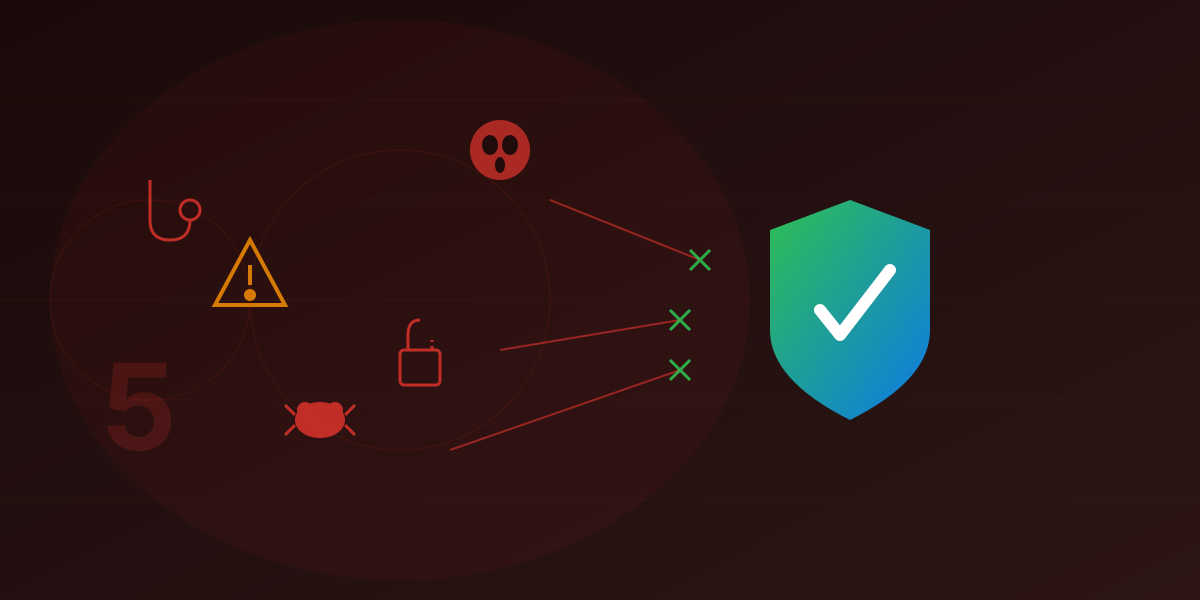
All five of these threats have something in common: they require your device to connect to a malicious domain at some point. Whether it's loading a malicious ad, reaching a phishing page, downloading malware, or communicating with a C&C server - they all need DNS resolution.
By filtering DNS, you create an invisible shield that blocks threats before they can reach your device:
- No malware gets downloaded because the malicious host is blocked
- No credentials get stolen because the phishing site never loads
- No infections spread because C&C communications are severed
- No ads infect your device because ad networks are filtered
Protection That Works Everywhere
Unlike antivirus that only works on computers or browser extensions that only work in browsers, DNS filtering protects every device on your network - phones, tablets, smart TVs, IoT devices, game consoles. If it connects to the internet, ClearDNS can protect it.
Staying Ahead of Threats
Threat actors are constantly creating new malicious domains. A domain might be used for a phishing campaign for just 24 hours before being abandoned. Traditional blocklists can't keep up.
ClearDNS uses multiple threat intelligence feeds, updated continuously, combined with heuristic detection of suspicious domains. We block newly registered domains used for malicious purposes, domains with suspicious patterns, and infrastructure known to be associated with threat actors.
Take Action Today
You don't have to wait until you're a victim to improve your security. Setting up ClearDNS takes minutes:
- Visit my.cleardns.io
- Enable Malware & Phishing protection
- Optionally enable Ads & Trackers blocking
- Configure your device using our simple guides
No account needed. No personal data required. Just protection from the threats you don't see coming.
Ready to Block Online Threats?
ClearDNS blocks malware, phishing, and malicious content before it reaches your device.
Protect Your Devices